PROTECT WHAT MATTERS.

KEEP IT GOING.

Official protection and replacement for your AKASO.

For AKASO 360

AKASO 360 Lens Cap

Full-coverage cap that protects both lenses of your 360 camera.

$6.99
Learn more

AKASO 360 Camera Carrying Case

Travel-ready EVA case protects your 360 camera from drops, scratches, and bumps on the go.

$9.99
Learn more

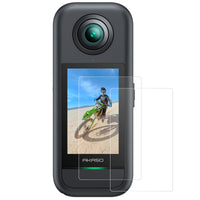
AKASO 360 Glass Screen Protectors

See sharper, swipe smoother, and stay protected with 9H tempered glass.

$7.99
Learn more

AKASO Mini Camera Case

Durable pocket case that cushions your camera on the go.

$12.99
Learn more

Action Camera Carrying Case

Water-resistant travel case with custom compartments for your gear.

$14.99
Learn more

Protective Lens Replacement

Original glass lens protector for replacement or backup use.

$12.99
Learn more

FAQ

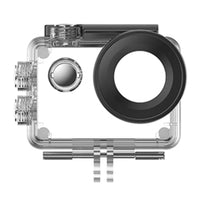
How often should I replace my waterproof housing?

We recommend inspecting the rubber seal before every dive. If the seal is dry, cracked, or if the lens cover is significantly scratched, it is time for a replacement to ensure a depth-rated seal.

How can I ensure the best waterproof performance for my camera?
  1. Check your camera’s waterproof capability:
    B7 series and above support bare-camera waterproofing and can be used directly in water. However, the maximum waterproof depth varies by model, so please refer to your product specifications before use.Other models do not support bare-camera waterproofing and must be installed in the included waterproof housing before entering the water.
  2. Ensure all sealing points are fully closed, including the battery door, USB port cover, and lens protector.
  3. Rinse with fresh water after use in seawater or chlorinated water to remove residue.
  4. Use the waterproof housing in high-speed water environments, such as surfing, waterfalls, to prevent seal deformation or loosening.
  5. The camera is waterproof but not designed for high-temperature steam environments such as hot springs or saunas.

Is the included remote control waterproof?

No. The included remote control is not waterproof and should not be submerged in water.

Please keep the remote dry and avoid using it in rain, underwater environments, or other wet conditions to prevent damage.

How should I care for the camera lens?

The camera lens is one of the most important components for image quality.

To keep it in good condition:

  • Clean the lens regularly using a soft microfiber cloth.
  • Avoid wiping the lens with rough materials such as clothing or paper tissues.
  • Keep the lens away from sand, dust, and sharp objects that may cause scratches.
  • Consider using protective lens covers or lens protectors to reduce the risk of damage during outdoor activities.

*Our traditional action camera models (including the Brave, V50, and EK7000 series) come with a high-definition glass lens protector pre-installed.

Why Does Lens Fogging Occur?

Lens fogging happens when a warm camera is exposed to a colder or more humid environment. The temperature difference causes moisture in the air to condense on the lens surface.

There are some additional steps that you can take to stop or minimize the fogging:

  • Turn off any unnecessary settings (Wi-Fi, Voice control, etc.) and use a lower resolution and/or frame rate to help the camera run cooler.
  • If you'll be exposed to a colder environment, keep the camera as cool as possible. If you're at the beach, keep the camera in the shade, not in the sun.
  • Ensure you have dry hands and that the camera is dry when you open the battery door.

My part is broken but I don't see it listed here. What should I do?

If the consumable or accessory you need is not listed on this page, please contact our Customer Support team.

Quickly check the remaining essentials for your trip.